
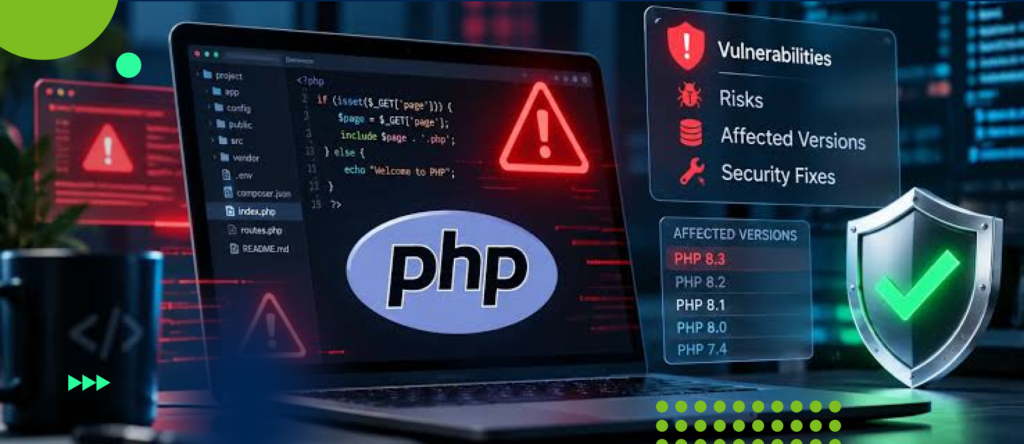
PHP2Shell: Key Numbers
- 70%: share of websites worldwide that Wiz Research estimates are powered by PHP
- 43%+: share of all websites that run WordPress, which depends on PHP
- 37.6%: share of WordPress installs running PHP branches that have already reached end of life (WordPress.org, 27 Sept 2026)
- 62%: share of WordPress installs on PHP 8.2 or older, so most sites need to check their version
- 24 hours: how fast attackers began exploiting the last major PHP RCE flaw (CVE-2024-4577) after its patch was published
- 66 days: time left until PHP 8.2 reaches end of life on December 31, 2026
The PHP2Shell vulnerability refers to two critical security flaws in the PHP runtime that can allow unauthenticated attackers to execute code remotely on vulnerable servers. The PHP security team released emergency patches on October 21, 2026, after researchers demonstrated remote code execution against applications running affected PHP versions.
The flaws carry a CVSS v4.0 severity score of 9.2 out of 10. Researchers also demonstrated that the vulnerabilities could expose sensitive data stored in PHP worker memory.
PHP2Shell affects the underlying PHP runtime, not just a particular content management system or plugin. Updating WordPress, Drupal, or Joomla does not fix a vulnerable PHP installation. Administrators must update the runtime or apply a verified vendor-provided security patch.
If your website serves requests through PHP, check its running PHP version and patch status before assuming it is safe.
What Is the PHP2Shell Vulnerability?
PHP2Shell is the name used for two related PHP vulnerabilities:
- CVE-2026-109618: A memory-safety flaw associated with out-of-memory error handling and request cleanup.
- CVE-2026-109619: A memory-safety flaw involving stale internal state after PHP frees memory.
Both vulnerabilities can lead to remote code execution under the right conditions. Remote code execution, or RCE, allows an attacker to make a vulnerable system execute code of the attacker’s choosing.
The vulnerabilities can be exploited without authentication in demonstrated attack scenarios. An attacker therefore does not necessarily need a valid website account, administrator credentials, or access to the hosting control panel to begin an attack.
Successful exploitation can compromise the PHP worker process, expose sensitive information, or give an attacker a foothold for further activity. The privileges available to that process determine how far the compromise can extend.
The PHP project released fixes for supported PHP branches on October 21, 2026.
How Does PHP2Shell Work?
Both vulnerabilities originate in how PHP handles fatal errors while processing requests. The errors can leave internal PHP state inconsistent with the memory that remains allocated.
Understanding the two flaws separately helps explain why a single patch addresses more than one attack path.
CVE-2026-109618: Out-of-Memory Handling and Memory Corruption
PHP uses memory to process incoming requests, maintain internal data structures, and execute application code.
An out-of-memory (OOM) error occurs when PHP cannot allocate the memory it needs. PHP must handle that failure and clean up the request without using invalid data.
In the vulnerable code, an OOM error can interrupt request processing while internal request data remains only partially initialized. During cleanup, PHP may then treat invalid internal data as valid.
This creates a memory-safety problem that researchers demonstrated could be developed into remote code execution.
The research also demonstrated unauthenticated disclosure of PHP worker memory. That memory can contain sensitive information, including passwords, authentication tokens, and API keys, depending on what the process has handled.
Why it matters: Memory corruption can affect the PHP process even when the website’s application code does not contain the original vulnerability.
CVE-2026-109619: Stale Memory References
PHP also maintains internal state while processing requests. Some of that state refers to memory allocated for a particular request.
When PHP frees that memory, any references to it must no longer be treated as valid.
CVE-2026-109619 involves internal state that can retain a reference to memory after PHP has freed it. If a later request reaches the affected code before PHP resets that state, the worker may use the stale reference.
This is a form of use-after-free, a memory-safety flaw that occurs when software accesses memory after it has been released.
Researchers demonstrated that this behavior could support remote code execution through a chain of memory-corruption techniques.
The exact exploitation path depends on the affected PHP behavior, configuration, and runtime environment. The two CVEs should not be treated as identical bugs simply because they can produce a similar outcome.
Why it matters: A request that ends unexpectedly can leave internal state behind that affects subsequent processing.
Why Is PHP2Shell a Critical Security Risk?
The PHP2Shell vulnerabilities have a reported CVSS v4.0 score of 9.2 out of 10. Their severity comes from the combination of remote exploitability, the possibility of unauthenticated access, and the potential impact of executing code inside a server process.
The consequences depend on the privileges of the affected process and the security controls surrounding it.
1. Remote Code Execution
An attacker who successfully exploits a vulnerable PHP runtime may execute code with the permissions available to the PHP worker.
That access can allow the attacker to interact with application files, inspect accessible data, or attempt additional actions within the compromised environment.
RCE does not automatically grant root or administrator privileges. Privilege escalation or access to other systems may require additional weaknesses or stolen credentials.
2. Exposure of Sensitive Data
PHP processes may handle application secrets, session information, API credentials, and other sensitive data.
Researchers demonstrated that PHP2Shell could expose data from worker memory without first obtaining remote code execution. The actual information exposed depends on the data present in the affected process.
An organization should therefore consider both code execution and potential memory disclosure when assessing the incident.
3. Website and Application Compromise
An attacker with sufficient access to a PHP process may be able to modify files that the process can write, interfere with application behavior, or attempt to establish persistence.
For a compromised website, this could mean unauthorized changes to content, malicious files, or access to application data.
These are potential consequences of successful exploitation, not proof that every vulnerable website has been compromised.
4. Further Access Into the Hosting Environment
If the PHP process can access credentials, internal services, shared files, or other resources, an attacker may attempt to use those permissions to move beyond the initial process.
The extent of that access depends on the server’s isolation, permissions, network controls, and credential management.
This is why organizations should assess the full environment rather than treating a successful PHP patch as proof that no other remediation is necessary.
Which PHP Versions Are Affected?
Wiz Research reported that the vulnerabilities affect PHP versions going back to PHP 5.4, with at least one of the disclosed flaws affecting releases through PHP 8.5.11.
The PHP project released fixes for the following supported branches:
| PHP branch | Fixed version |
| PHP 8.5 | 8.5.12 |
| PHP 8.4 | 8.4.27 |
| PHP 8.3 | 8.3.36 |
| PHP 8.2 | 8.2.35 |
Administrators should update to the applicable fixed release or a later release that includes the security fixes.
What About PHP 8.1 and Older Versions?
PHP 8.1 and earlier have reached end of life in the upstream PHP project and do not receive routine security updates from that project.
Some operating-system vendors and commercial support providers supply backported security fixes for older branches. A backport can fix a vulnerability without changing the PHP version number displayed to the user.
Do not assume that an older version is safe because a hosting panel reports that it is current. Confirm the package build, vendor advisory, and patch status.
If the vendor cannot provide a verified fix, plan an upgrade to a supported PHP branch. Until then, follow the vendor’s emergency mitigation guidance and reduce exposure.
Important: These fixed-version numbers refer to the PHP branches listed above. Hosting vendors may distribute their own patched builds, so administrators must verify the status of the actual runtime.
Sources: PHP security announcement and Plesk’s PHP2Shell advisory.
Is WordPress Affected by PHP2Shell?
WordPress sites can be affected when they run a vulnerable PHP runtime. Researchers demonstrated pre-authentication remote code execution against WordPress, Drupal, and Joomla using the PHP2Shell vulnerability chain.
The vulnerability resides in PHP itself. It does not require a specific vulnerable WordPress plugin or theme.
This distinction matters because updating WordPress core, changing themes, or removing a plugin does not correct the underlying PHP memory-safety flaws.
WordPress administrators should:
- Check the PHP version used by the live website.
- Confirm whether the hosting provider has applied the appropriate security fix.
- Update the PHP runtime or select a verified patched version.
- Test the website, including its administrative functions, forms, and integrations.
- Review relevant logs and investigate suspicious activity if the site was exposed while vulnerable.
A WordPress security plugin or web application firewall may provide additional protection, but neither replaces a PHP security update.
The same principle applies to Drupal, Joomla, and custom PHP applications.
How to Check Whether Your Website Is Vulnerable
Start by identifying the PHP runtime that actually handles requests for your website.
Step 1: Check Your PHP Version
If you use a hosting control panel, open its PHP settings or version-management section. Look for the PHP version assigned to your domain.
If you administer a Linux server, run:
php -v
This displays the PHP version used by the command-line environment. However, the command-line PHP version may differ from the version serving web requests.
For example, a server may use one PHP version for scheduled scripts and another through PHP-FPM or its web server.
Confirm the version assigned to the live website. Check every relevant PHP runtime if the server hosts multiple applications.
Step 2: Confirm the Patch Status
Compare the runtime against the fixed versions listed in this article and the relevant vendor advisory.
If your provider uses backported patches, request confirmation of the specific security fixes rather than relying only on the displayed version number.
For containerized applications, check the PHP version in the deployed image. Updating the host operating system does not necessarily update PHP inside an existing container.
Step 3: Update and Restart Where Required
Install the security update through your operating system’s package manager, hosting control panel, or approved deployment process.
If your environment requires a service restart or application redeployment to load the patched runtime, complete that step. Follow your provider’s instructions.
Step 4: Verify the Running Runtime
Recheck the PHP version or vendor patch status after the update. Confirm that the website is using the patched runtime rather than an older handler or container.
Test critical application functions and monitor for new errors after deployment.
Step 5: Review Possible Signs of Compromise
If the website was publicly accessible while vulnerable, review available logs and security telemetry for suspicious activity.
Investigate unexplained PHP files, unexpected changes to application code, unfamiliar processes, unauthorized accounts, unusual outbound connections, and possible credential exposure.
No single indicator proves or rules out compromise. A clean-looking website does not establish that an attacker never accessed the server.
How to Fix the PHP2Shell Vulnerability
The primary remediation is to update PHP to a release containing the fixes or apply a verified vendor-provided patch.
The appropriate procedure depends on how the website is hosted.
Shared Hosting
Contact the hosting provider if you cannot select a patched PHP version yourself.
Ask which PHP runtime serves your domain, whether the PHP2Shell security fixes have been installed, and whether you need to change your assigned PHP version.
Do not assume that the provider has patched every available PHP handler simply because it has updated its own hosting control panel.
VPS or Dedicated Servers
Update PHP using the server’s supported package-management process or the vendor’s installation method.
Check every PHP installation used by websites, scheduled jobs, and application services. Restart or reload affected services when required.
If you manage multiple domains, verify each domain’s PHP handler rather than checking only the default command-line version.
Docker and Other Containers
Update the PHP base image to a patched release, rebuild the image, and redeploy the application.
Confirm that the new container is running and that the deployment process has not retained an older image or runtime.
Managed Cloud Applications
Follow the cloud provider’s specific advisory for the runtime and deployment model you use.
Some managed runtimes receive automatic updates, while custom runtimes and container-based deployments may require you to update dependencies or rebuild and redeploy the application yourself.
If You Cannot Patch Immediately
Follow your hosting provider’s temporary mitigation instructions. Consider restricting access or isolating the affected service until you can install a verified fix.
A web application firewall or other network-level control may reduce exposure, but its effectiveness depends on the attack path and configuration. Do not treat a temporary mitigation as a permanent solution.
What If an Attacker Exploited Your Website Before You Patched It?
Installing a patch prevents exploitation through the fixed vulnerabilities, but it does not remove an attacker’s existing access or reverse unauthorized changes.
If you suspect a compromise, treat it as a security incident.
- Contain the affected system. Restrict or isolate it when necessary, while preserving evidence and following your incident-response procedures.
- Preserve logs and evidence. Retain web-server, PHP, operating-system, authentication, and cloud audit logs before they rotate or disappear.
- Investigate the scope. Look for unauthorized file changes, persistence mechanisms, suspicious processes, altered accounts, and signs of access to databases or other systems.
- Protect exposed credentials. Rotate potentially compromised passwords, API keys, database credentials, and other secrets from a clean environment. Revoke existing sessions or tokens where appropriate.
- Remove unauthorized access and recover safely. Restore trusted application files or rebuild affected systems when necessary. Verify the integrity of the environment before returning it to production.
- Continue monitoring. Check for recurring suspicious activity and confirm that the vulnerability is patched across all affected runtimes.
For a confirmed compromise, involve your security team or an incident-response specialist. The response should account for the possibility that the attacker accessed resources beyond the initial PHP process.
How Was PHP2Shell Discovered?
Wiz Research reported discovering the first vulnerability on August 19, 2026, using AI-assisted security research. The team confirmed remote code execution against Drupal on August 20 and WordPress on August 21.
Wiz reported the vulnerabilities to the PHP security team on August 24. According to its disclosure timeline, PHP acknowledged the reports on September 21 and began preparing a coordinated fix.
The PHP project released the patched versions and public security announcement on October 21, 2026.
Wiz reported using Wiz Atlas, Gemini 4 Argon, and GPT-5.6 Sol during the research. It credited AI assistance with helping identify the vulnerabilities and develop and validate exploit techniques.
The important technical point is not simply that AI was involved. Researchers had to connect multiple memory-safety failures and adapt their exploit techniques to different runtime environments. AI-assisted analysis and testing helped make that complex process practical.
The incident illustrates why software maintainers must investigate memory-safety issues even when the code has existed for years without a widely demonstrated exploit.
Has PHP2Shell Been Exploited in the Wild?
Researchers demonstrated working exploits, and security advisories published after disclosure reported exploitation activity against vulnerable systems.
The University of California, Berkeley’s Information Security Office reported active exploitation attempts in its October 21, 2026 advisory. That establishes a reported real-world threat; it does not mean that every vulnerable website has been attacked or compromised.
Organizations should distinguish between three facts:
- Proof of concept: Researchers have demonstrated that an attack can work.
- Exploitation activity: Security teams have reported attempts to exploit the vulnerability.
- Confirmed compromise: Evidence establishes that an attacker successfully accessed or altered a particular system.
These findings require different evidence. A high CVSS score or the existence of a working exploit does not establish that a specific server has been compromised.
Because threat intelligence can change, check the latest advisories from PHP, your hosting provider, and your security team when assessing current exposure.
Frequently Asked Questions
What is PHP2Shell?
PHP2Shell is the name used for two critical PHP vulnerabilities, CVE-2026-109618 and CVE-2026-109619. They involve memory-safety failures that can allow unauthenticated remote code execution and, in demonstrated scenarios, disclosure of sensitive PHP worker memory.
What is the CVSS score for PHP2Shell?
Both vulnerabilities have a reported CVSS v4.0 score of 9.2 out of 10, classified as critical.
Does PHP2Shell affect WordPress?
Yes. WordPress can be vulnerable when it runs an affected PHP runtime. Updating WordPress core or its plugins alone does not fix the underlying PHP vulnerabilities.
Which PHP versions contain the fixes?
The published fixed versions are PHP 8.5.12, 8.4.27, 8.3.36, and 8.2.35. Older branches require a verified vendor-provided patch or an upgrade to a supported release.
Can a firewall protect my website from PHP2Shell?
A properly configured firewall may reduce exposure, but it should not be treated as a complete fix. Updating PHP or applying a verified security patch is the primary remediation.
Does patching PHP remove an attacker who already compromised my server?
No. Patching closes the vulnerability but does not automatically remove malicious files, unauthorized accounts, stolen credentials, or other persistence mechanisms. Investigate possible compromise separately.
What should I do first if my website is vulnerable?
Identify the PHP runtime serving the website, install the appropriate security update, and verify that the patched runtime is active. If the site was exposed while vulnerable, review security logs and investigate suspicious activity.
Does Switching to Licensed Software Make Your Website More Secure?
Switching from open-source software to licensed, proprietary software does not automatically eliminate cybersecurity vulnerabilities. Both types of software can contain security flaws, and attackers can exploit weaknesses regardless of how the software is licensed.
The real difference often lies in how software is maintained, how quickly security patches are released, and who is responsible for applying them. Commercial licensing may provide access to dedicated security support and maintenance, but these benefits depend on the vendor’s actual commitments.
The PHP2Shell vulnerabilities demonstrate why ongoing maintenance matters. Because the flaws affect PHP’s core engine, purchasing a license for a website platform that still uses a vulnerable PHP version will not resolve the underlying issue.
Organizations should prioritize supported software versions, timely security updates, vulnerability monitoring, and clear responsibility for patch management. The goal is not simply to choose between open-source and proprietary software, but to ensure that every component of the technology stack is maintained and secured.
Conclusion
PHP2Shell is a critical PHP runtime security issue because it can allow unauthenticated remote code execution and sensitive memory disclosure without relying on a vulnerable CMS plugin.
The PHP project released security updates on October 21, 2026. Website owners should identify their PHP runtimes, apply the appropriate fix, verify the deployment, and investigate possible compromise if the server was exposed while vulnerable.
Do not rely on a WordPress update, a security plugin, or a firewall as a substitute for patching PHP. The runtime must be fixed, and any suspected prior compromise must be handled separately.